- Deutsch: Diese Seite ist nicht ins Deutsche übersetzt
Release 2.9 (20 Apr 2020)
Update 2.9.3 (30 Apr 2020): - Fixed issue related to cache - Fixed .csv export on Report page - Fixed bug in tableview on the Dataset page
Update 2.9.2 (22 Apr 2020): - Fixed bug affecting images from the field inspector app.
Update 2.9.1 (21 Apr 2020) - Fixed bug that disabled some datasets
What's new
- Two new worksets: Inventory and Observations & Inventory
- Quality Control
- Manual linking of images
- New keyboard shortcuts
- New import format supported
Inventory and Observation & Inventory workset
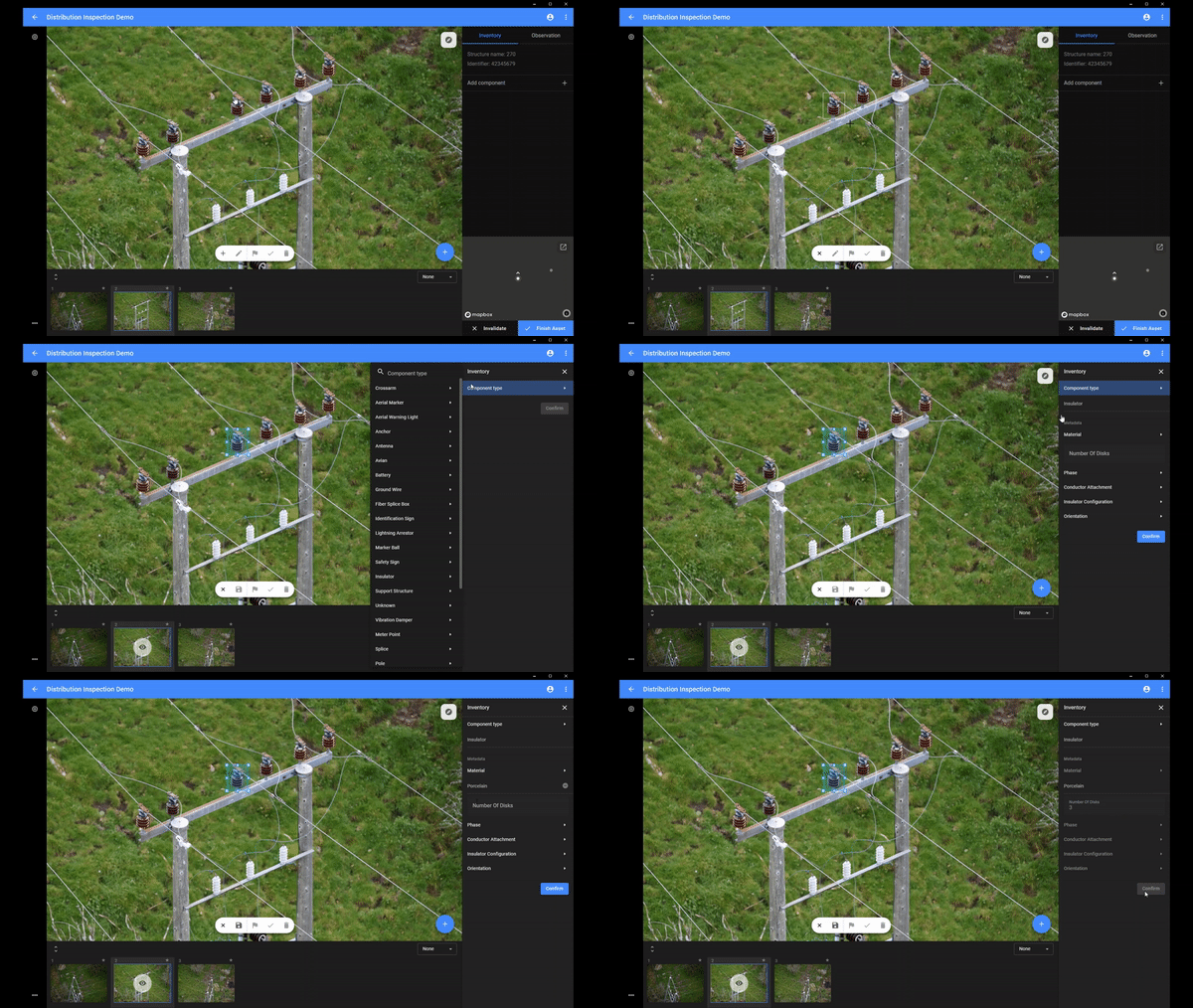
It's now possible to register the individual components on a asset, including their underlying attributes. The inventory workset can be used for updating or registering inventory while the Observation & Inventory workset for combining this work with registering defects.
- Possible to register inventory for all structures
- Customer-specific lists of assets and defects are now possible
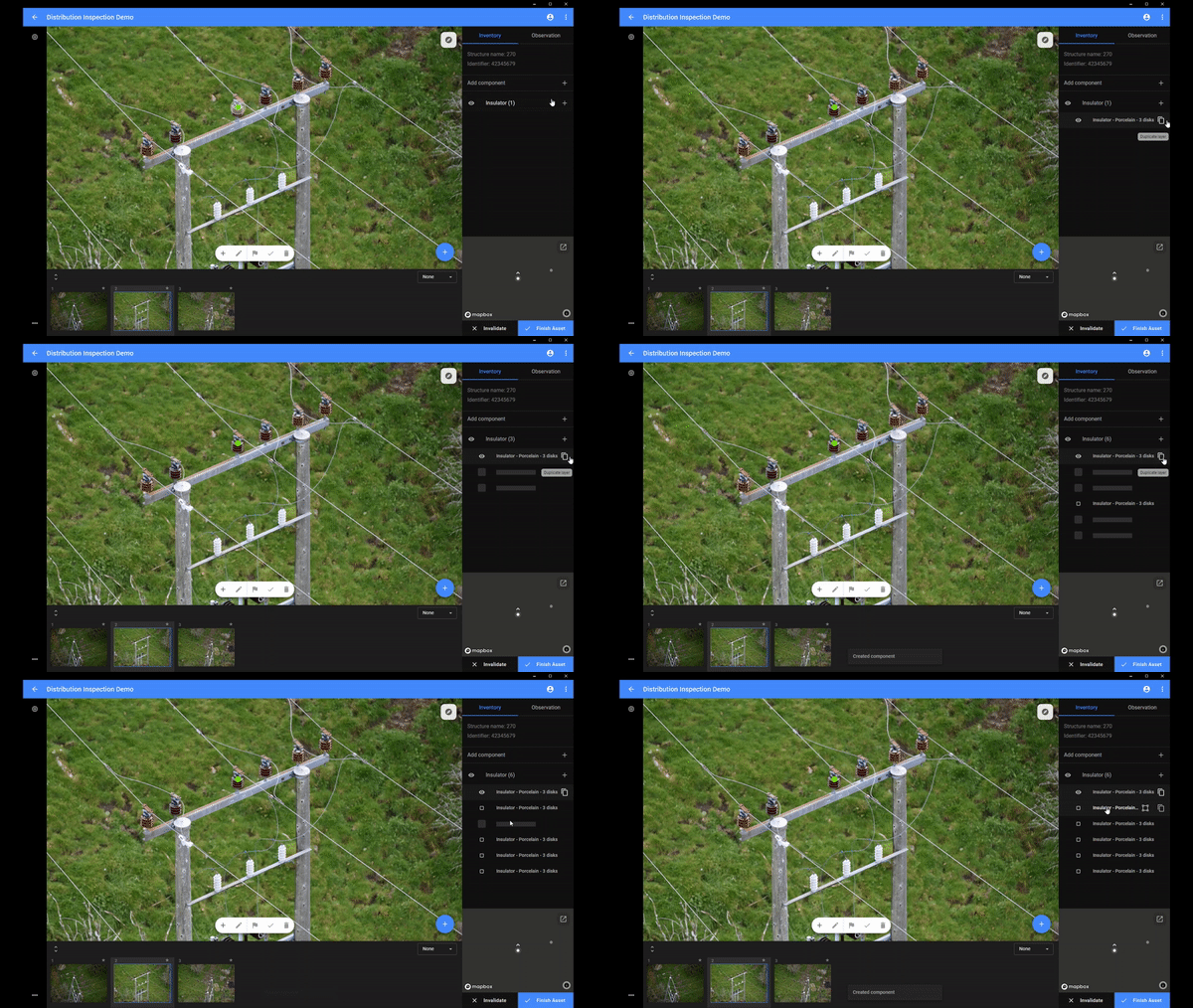
- Copy components for more efficient inventory
Quality Control
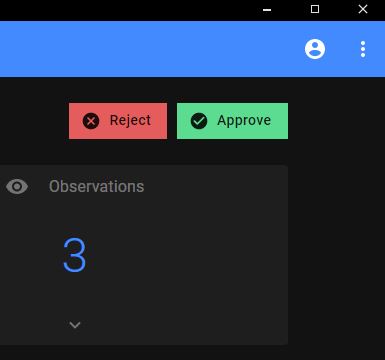
- Keep track of status for worksets and datasets (approved, rejected and exported)
- Reassign tasks
Manual linking of images
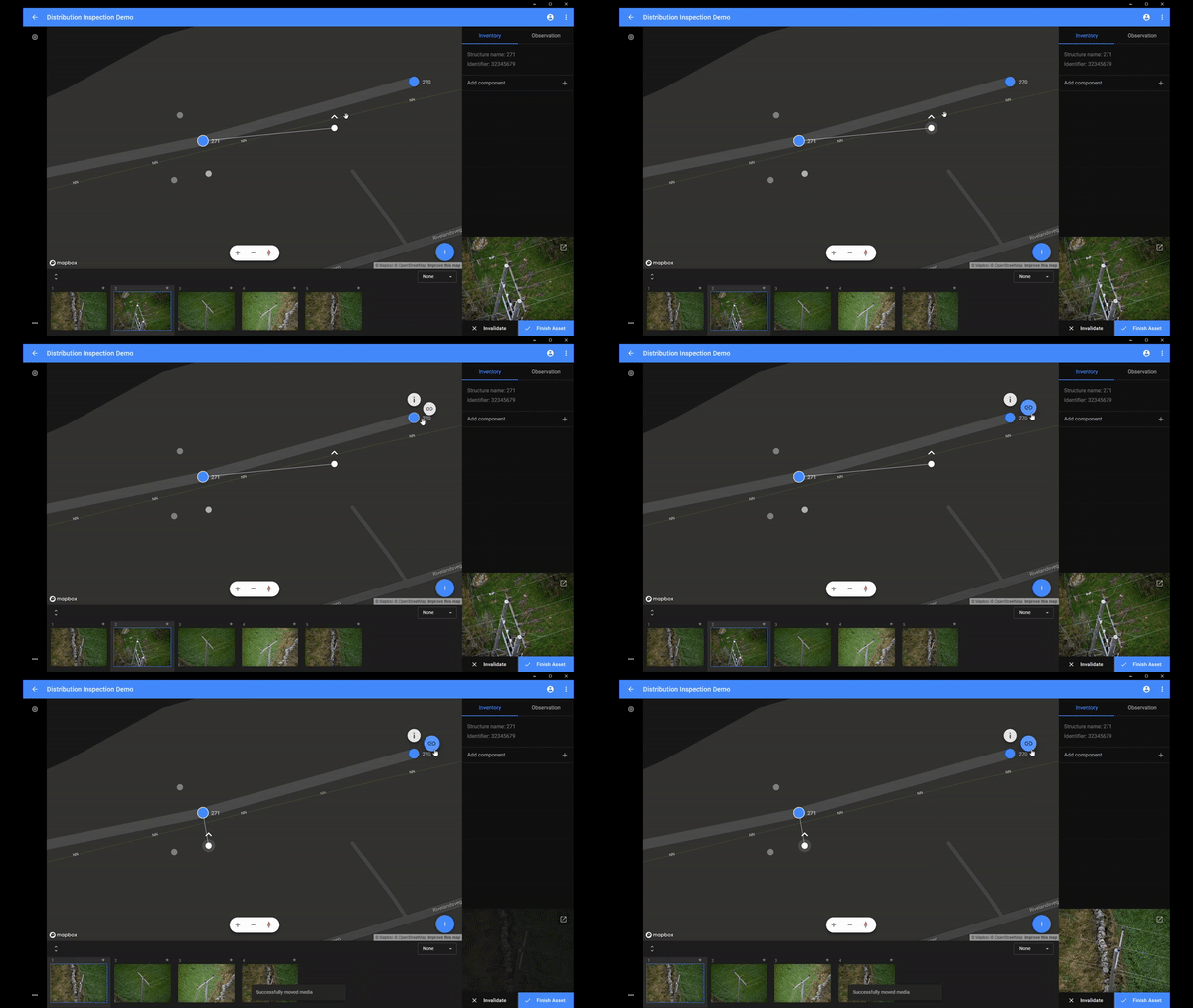
It's now possible to manually link images to assets or to change existing relationships between an image and an asset.
New keyboard short cuts
- ctr/cmd + n = draw a box for registering observations or components
- ctr/cmd + left/right arrow = navigate between images for an asset
- ctrl/cmd + a = mark all images for an asset
- ctr/cmd in map view = show relationship between marked image and asset
New import format
- Now supports json and csv format for asset information files.
Bug fixes
- Fixed issue with staring of images
- Fixed issue with unsorted assets for some customers